Official s77 App
S77 App Download — The Best Gaming Experience on Android and iOS
Download the s77 official app for the smoothest mobile gaming experience. Fast loading, push notifications, and a Bangla interface — all in one app.

Download the s77 official app for the smoothest mobile gaming experience. Fast loading, push notifications, and a Bangla interface — all in one app.
App Download
The s77 app is available on both Android and iOS.
Install the s77 APK on any Android smartphone. Download directly without the Google Play Store. Installation completes in just 30 seconds.
IPhone and iPad users can install the s77 app with ease. Open it in Safari to add it to your home screen, or install it directly.
App Benefits
Many players use s77 on a mobile browser, which works perfectly fine. But downloading the s77 app takes the experience to another level. The app taps directly into your phone's hardware, so games load faster and graphics run noticeably smoother.
Push notifications are one of the biggest advantages of the app. New promotions, free spin offers, jackpot updates — everything lands on your screen the moment it happens, no need to keep checking your browser. And if you stay logged in, you won't have to enter your password every time — just use fingerprint or Face ID to get straight in.
The app is also more efficient when it comes to battery and data. Thanks to s77's optimized app, the same games use less data compared to a browser. It also performs better in rural or semi-urban areas where the connection tends to be slower.
Thanks to the app's caching system, games load up to 40% faster compared to a browser.
Get instant alerts for new offers, jackpot updates, and transaction confirmations.
Log in in 1 second with fingerprint or Face ID — no need to remember your password.
The s77 app runs smoothly even on a weak internet connection. Keeping Data Saver mode on also helps cut down your data usage.

Installation Guide
Install s77 on your Android phone in just 5 simple steps.
Start by registering on s77. Sign up with your mobile number or email and your account will be ready in just 2–3 minutes.
Go to your phone's Settings → Security → Unknown Sources and turn it on. This is required to install third-party APK files.
Tap the download button on the s77 website. The APK file will be saved to your phone's Downloads folder.
Go to your Downloads folder, find the s77.apk file, and tap on it. When the install prompt appears, tap the "Install" button.
Once installation is complete, open the app, log in with your account, and start playing right away.
Installation completes in just 30 seconds to 1 minute. From here on, you can play anytime, anywhere.
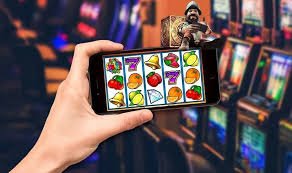
IOS Guide
IPhone users have two ways to use s77. First, open s77.wine in Safari and tap "Add to Home Screen" to add it as a PWA (Progressive Web App) — it works much like a native app. Second, you can also install the IPA file directly.
On iOS, you must use the Safari browser. The "Add to Home Screen" option does not work in Chrome or other browsers.
In Safari, tap the Share icon (box with an arrow) in the bottom toolbar. A menu will appear.
Select "Add to Home Screen" from the menu. Confirm the name and tap "Add" — that's all there is to it.
You will now see the s77 icon on your home screen. Tap it to launch the app in full-screen mode.
Comparison
| Features | S77 App | Mobile Browser |
|---|---|---|
| Loading Speed | Much Faster | Comparatively Slower |
| Push Notifications | Yes | None |
| Biometric Login | Yes | None |
| Data Saving | More Efficient | Higher Data Usage |
| Offline Mode | Partial Support | None |
| Game Graphics Quality | Maximum | Medium |
| Auto Update | Yes | Manual Refresh |
| Home Screen Shortcut | Yes | Limited |
About the App
S77 is more than just a slots platform — it's a full online gaming hub. One app gives you Slots, Fish Games, Sports Betting, Live Casino, and much more. No need to download separate apps.
Built with Bangladeshi users in mind, the s77 app supports direct deposits and withdrawals via Mobile Banking, Nagad, and Rocket — all handled within the app itself. Winnings are transferred to your mobile banking account in just 5–15 minutes.
Live chat support is always available inside the app. If you run into any issue, you can reach our customer care team in seconds. Even at 2 AM, someone will respond — the s77 support team is active 24 hours a day.
Slots, Fish Game, Sports, Live Casino — all in one app.
Deposit and withdraw directly in the app using Mobile Banking, Nagad, and Rocket.
System Requirements
The s77 app runs effortlessly on most standard smartphones.
FAQ
Bangladesh's top gaming platform, now in your pocket. Download, play, and win.